Skip to content

Set up WooCommerce payments

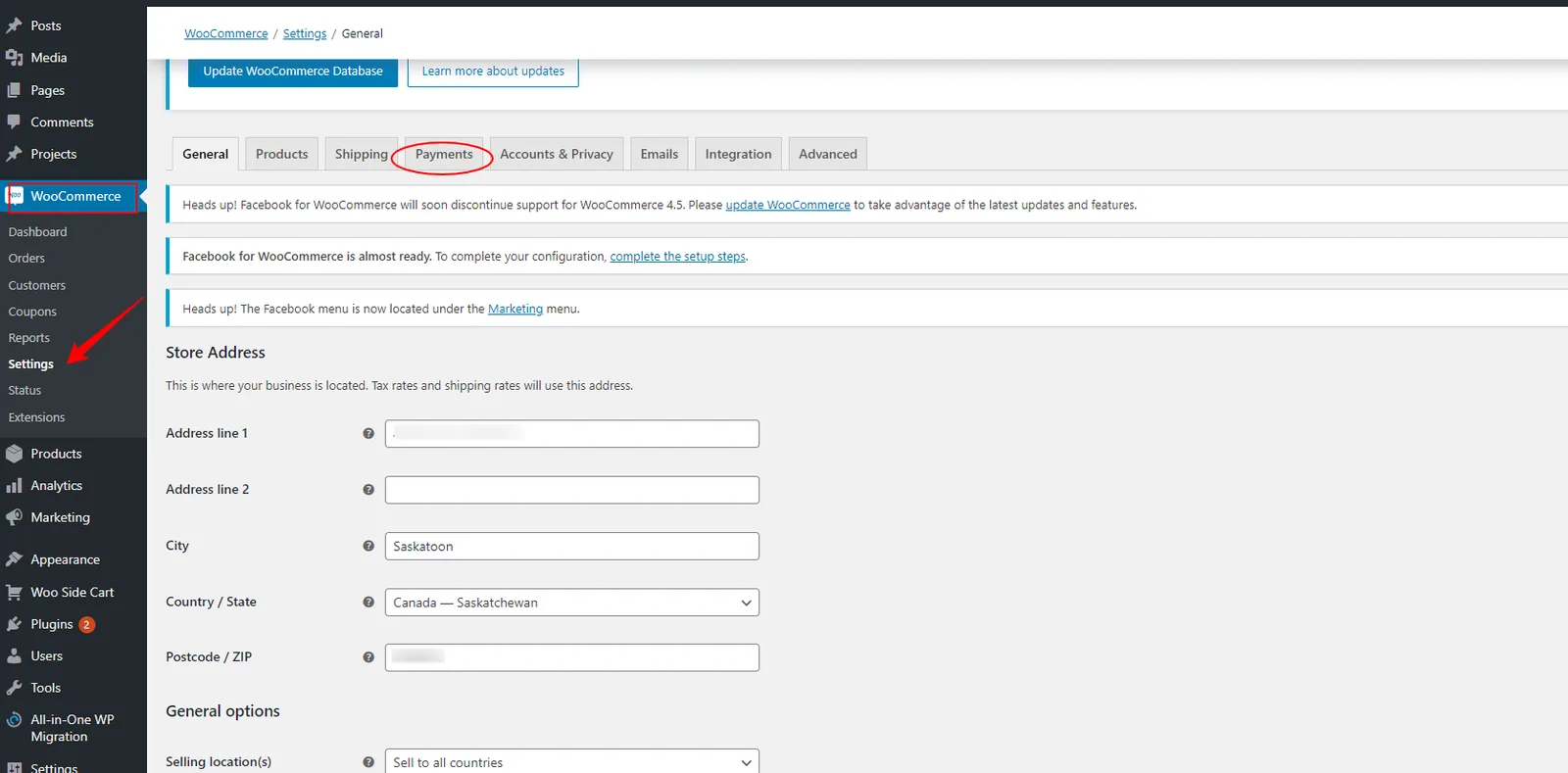
To set up WooCommerce payments: Navigate to the WordPress Dashboard from WordPress Hosting Standard/Pro. Click on WooCommerce in the left navigation, then select Settings . Click on Payments .

Last updated


To set up WooCommerce payments:

  1. Navigate to the WordPress Dashboard from WordPress Hosting Standard/Pro.

  2. Click on WooCommerce in the left navigation, then select Settings.

  3. Click on Payments.

WooCommerce Settings with Payments tab
  1. Select the payment method and complete the setup for the selected method.

Payment method setup and configuration
  1. Click Save at the bottom of the page.

  2. (Optional) To test the payment flow, enable Sandbox mode.

Sandbox mode for testing payments