
Skip to content

Enhanced Dashboard

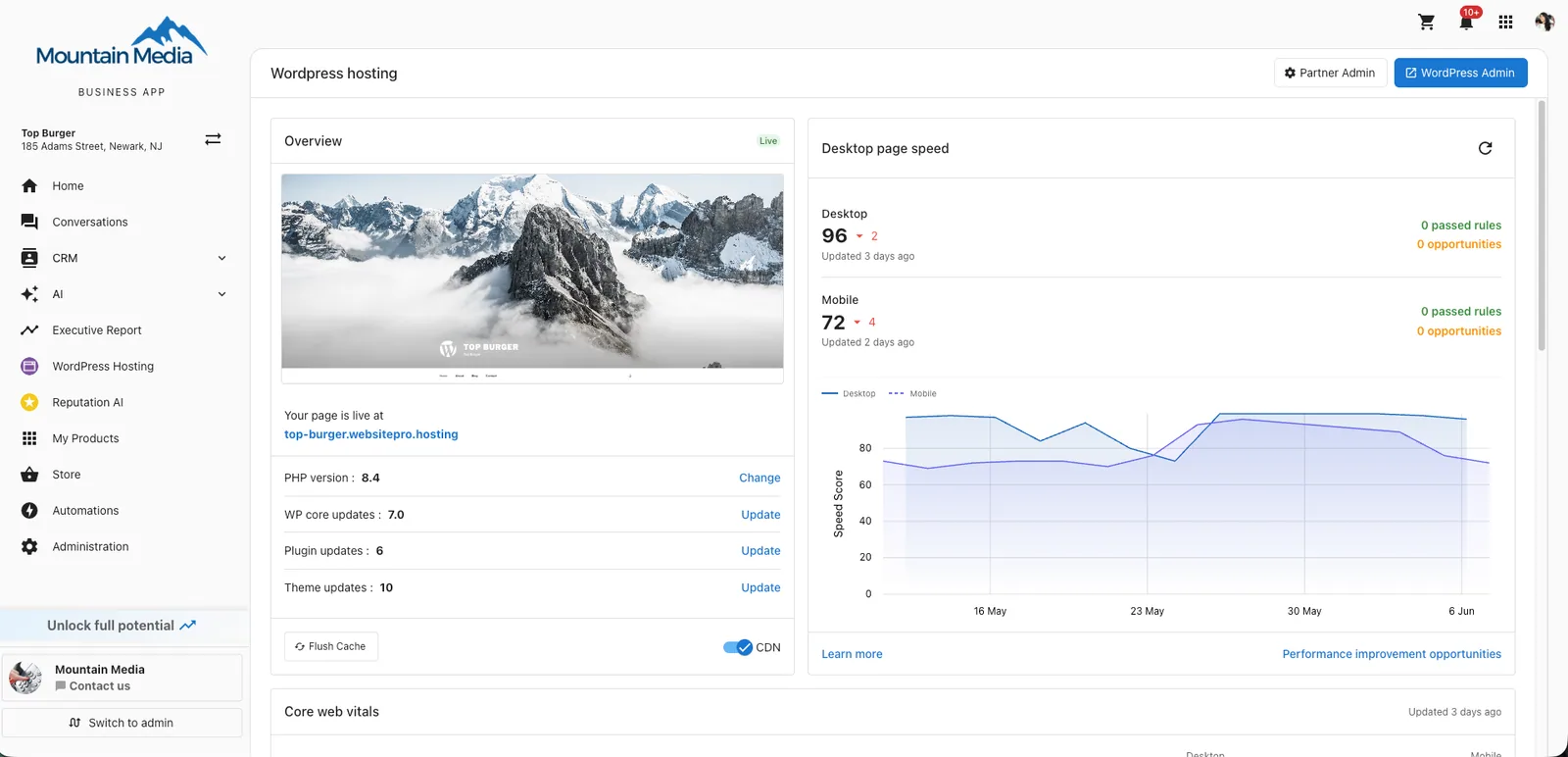
The Enhanced Dashboard brings every part of managing your WordPress site onto one page — site preview, performance, analytics, plugins, domains, staging, backups, and developer tools.
Last updated


The Enhanced Dashboard brings every part of managing your WordPress site onto one page — site preview, performance, analytics, plugins, domains, staging, backups, and developer tools.

Enhanced Dashboard for a WordPress Hosting site, showing Overview and Desktop page speed cards

What's on the dashboard

In this section

Overview CardThe Overview card is the home of your dashboard. It shows a live preview of your site and gives you one-click access to the maintenance actions you'll use most often.PerformanceThe Performance card shows how fast your homepage loads on desktop and mobile, measured by Google PageSpeed Insights. Scores refresh automatically; click the refresh icon to run a new check on demand.Core Web VitalsCore web vitals are Google's measurements of the experience real visitors get on your site. Strong scores help with search rankings and reduce the chance that visitors leave before your page finishes Web AnalyticsThe Web analytics card surfaces visitor data for your site without leaving the dashboard. You can use the default analytics out of the box, or connect your own Google Analytics (GA4) property for moreEmail HistoryThe Email History card shows every email your site has sent — form submissions, order confirmations, comment notifications, and anything else triggered by WordPress or your plugins. Available on both Domains and SSLThe Domain & SSL panel is where you connect a custom domain to your site, monitor SSL certificates, and choose which domain visitors see in their browser. The primary domain is the one all your other Plugins and ThemesThe Plugins & Themes panel lets you manage every plugin on your site and your active theme — install, update, activate, and deactivate without going into WordPress admin.StagingStaging is a private copy of your live site that no one else can see. Use it to test theme changes, plugin updates, redesigns, and content edits without risking the version visitors see. When the chanAdvanced ToolsAdvanced Tools give you direct access to your site's filesystem, database, firewall, scheduled tasks, and PHP error logs. These tools are for developers and technical users — incorrect changes can affBackupsBackups protect your site. With a recent backup you can roll back from a bad plugin update, a broken theme change, or a content mistake in minutes. Backups run automatically every day; you can also cr