
Social Marketing’s post template feature allows you to create reusable templates for your social media posts, saving time and ensuring consistency across your content.
Creating Post Templates
Template Creation Process
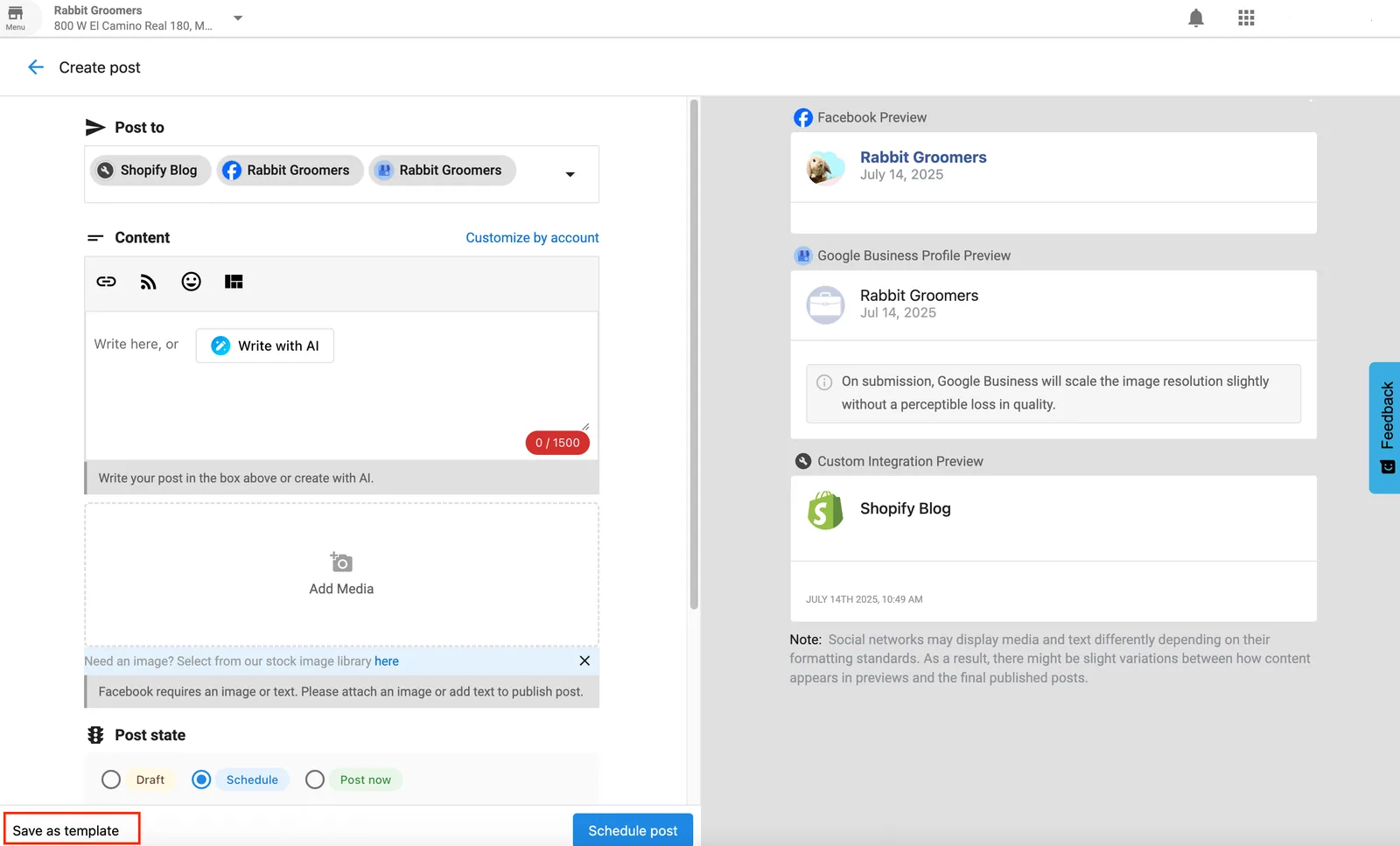
- Start a new post by going to Posts > Create > Post
- Design template by adding text, placeholders, and formatting
- Save template by clicking “Save as template” instead of scheduling the post
Template Elements
- Text Content: Pre-written text with customizable placeholders
- Hashtag Sets: Pre-defined hashtag collections for different topics
- Image Placeholders: Designated spots for images or graphics
- Call-to-Action: Standard CTAs that can be customized
- Brand Elements: Consistent branding elements across templates
Template Categories
Content Type Templates
- Product Promotions: Templates for promoting products or services
- Educational Content: Templates for sharing tips and information
- Behind-the-Scenes: Templates for showing company culture
- Customer Spotlights: Templates for featuring customer stories
- Event Announcements: Templates for promoting events
Platform-Specific Templates
- Instagram Templates: Optimized for Instagram’s format and audience
- Facebook Templates: Designed for Facebook’s engagement patterns
- LinkedIn Templates: Professional templates for LinkedIn
- Twitter/X Templates: Concise templates for Twitter’s character limit
- Multi-Platform Templates: Templates that work across platforms
Using Post Templates
Template Application
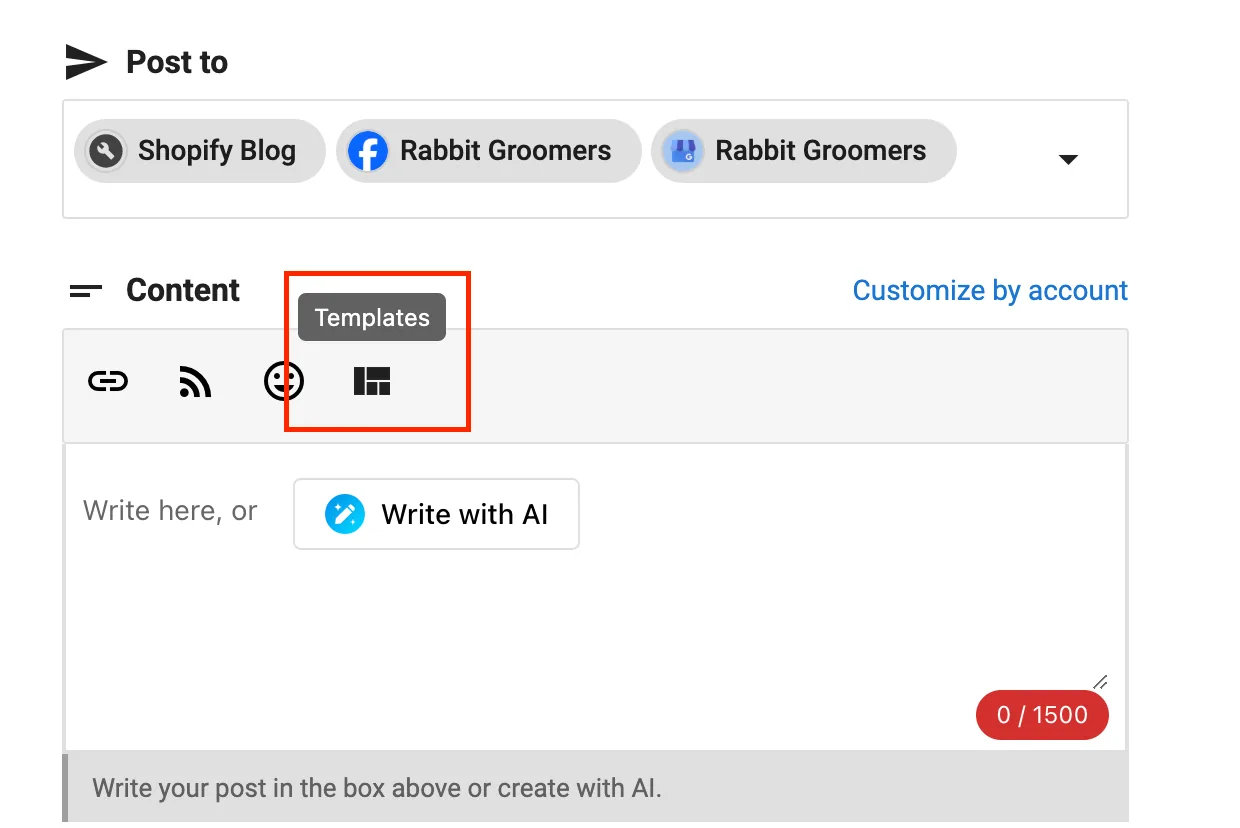
- Select Template: Choose a template from your library by clicking the Templates button in the post composer
- Customize Content: Fill in placeholders with specific content
- Add Media: Insert relevant images or videos
- Review and Edit: Review the post and make final adjustments
- Schedule or Post: Schedule or publish the customized post
Template Customization
- Text Replacement: Replace placeholder text with specific content
- Media Addition: Add relevant images, videos, or graphics
- Hashtag Updates: Modify hashtags for specific campaigns
- Timing Adjustments: Adjust posting times for different audiences
- Platform Optimization: Optimize for specific platform requirement
Template Examples
Product Promotion Template
🎉 [Product Name] is here!
[Product Description]
✨ Key Features: • [Feature 1] • [Feature 2] • [Feature 3]
💡 [Call-to-Action]
[BrandHashtag] [ProductHashtag] [IndustryHashtag]
Educational Content Template
📚 [Topic Title]
[Educational Content]
💡 Pro Tip: [Helpful Tip]
Want to learn more? [Call-to-Action]
[EducationalHashtag] [IndustryHashtag] [BrandHashtag]