Product Help & Documentation

Home > Business App Documentation > Automations > Templates and recipes

Templates and recipes

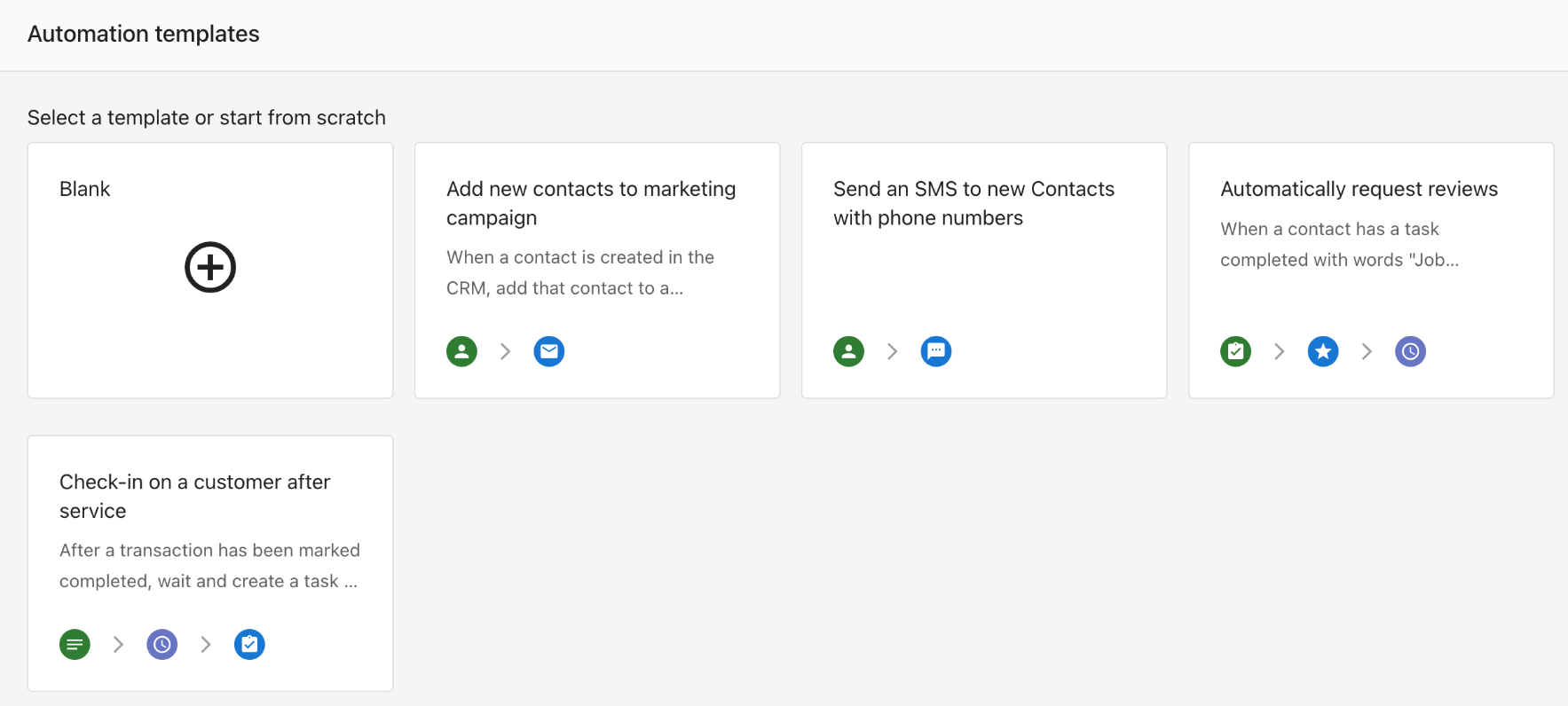
Get started fast with pre‑built templates and step‑by‑step recipes you can customize.

Using templates

  1. Go to Business App > Administration > Automations
  2. Select Create Automation
  3. Choose a template from the gallery (or search for one)
  4. Review the suggested trigger, conditions, and actions
  5. Edit as needed, Save, and toggle On

Purpose: Automatically follow up with customers to request a review after a service is completed or a lead is converted.

Steps:

  1. Create Automation
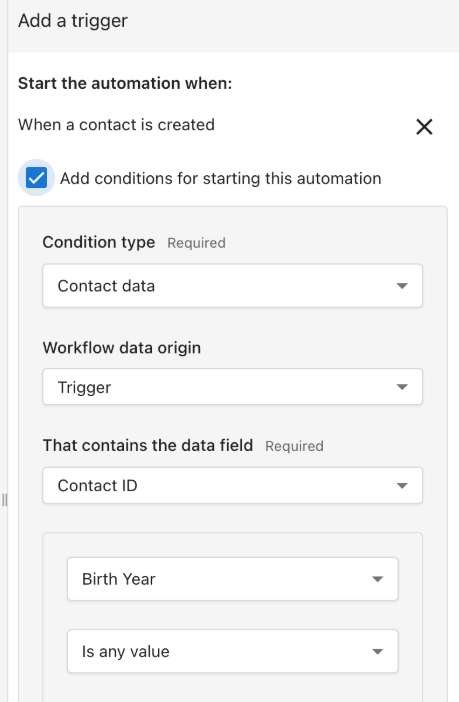
  2. Choose a Trigger (for example, When a contact is created)
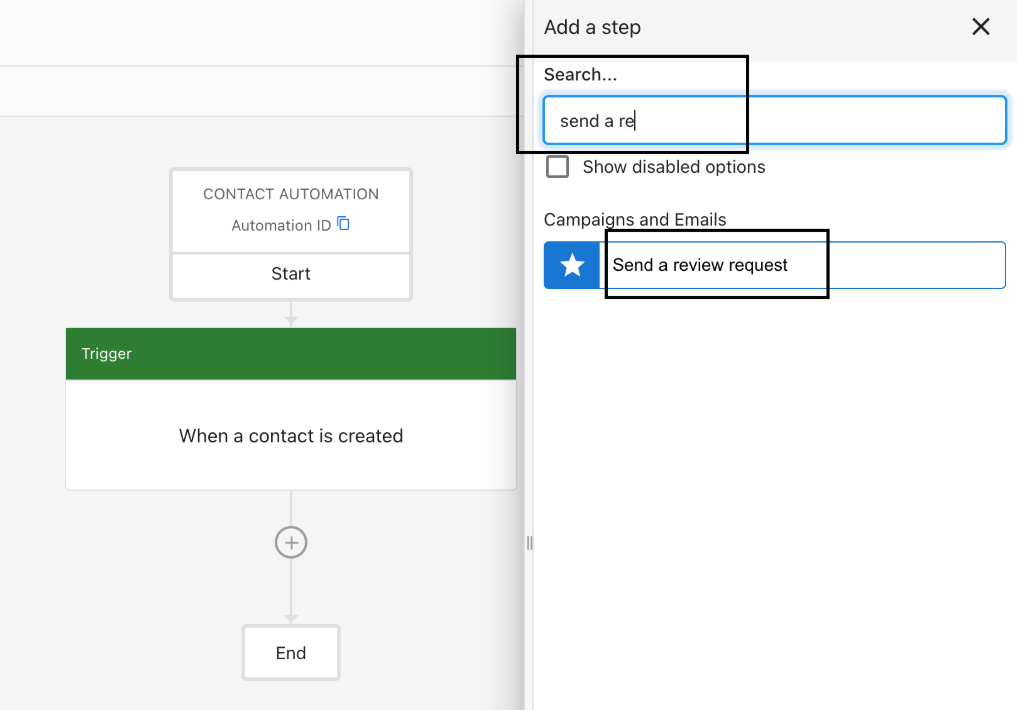
  3. Add Action > Send review request
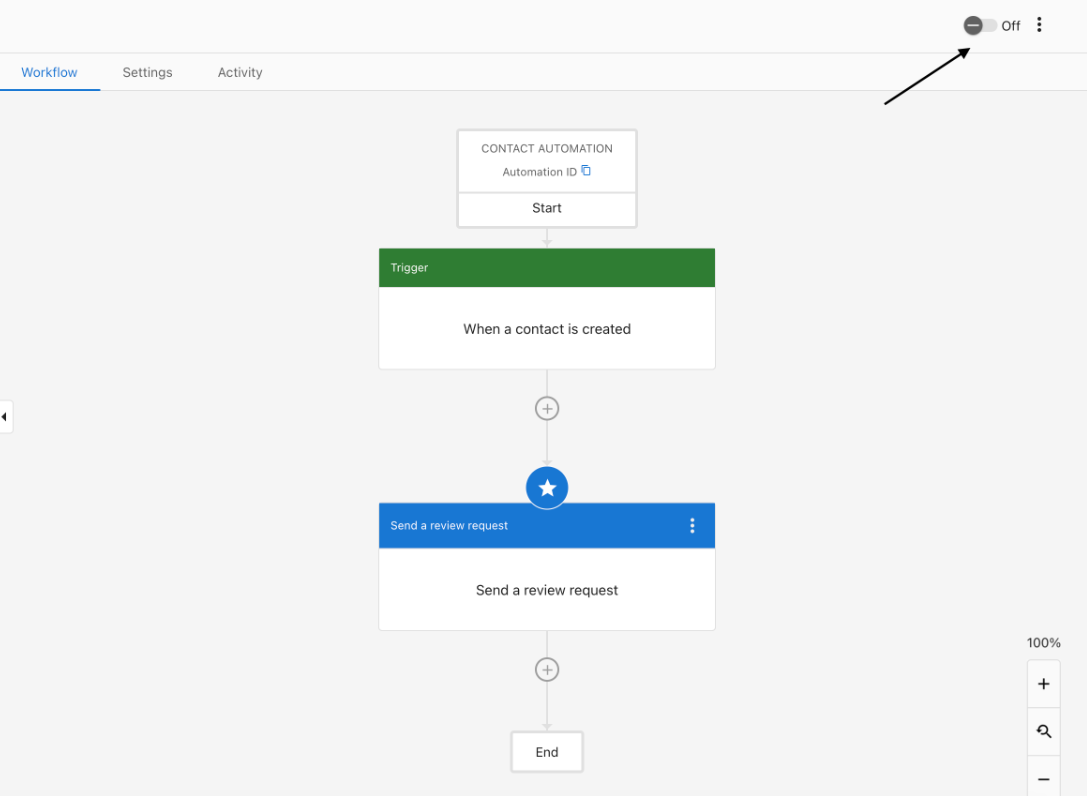
  4. Configure and Save
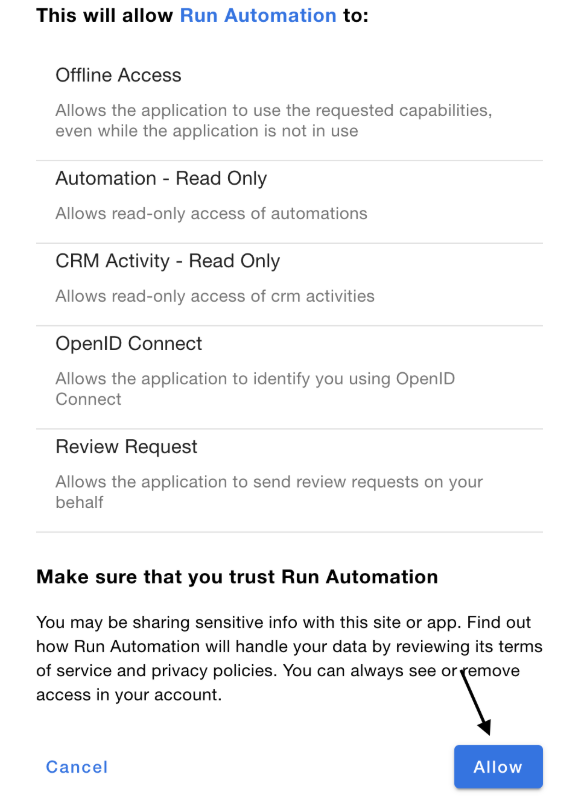
  5. Toggle On and allow the confirmation prompt

Images for the review request flow are available here:

  • Step 1
  • Step 2
  • Step 3
  • Step 4

FAQs

Automations are available to all Business App users. Specific actions (for example, SMS and plain‑text email) require Conversations Pro.

Scroll to Top