What is review matching?
Review Matching helps you determine whether a review came from a known contact in your customer list. It automatically compares new reviews to existing contact details such as name, email, or phone number.
This feature gives you greater context about each review and helps you track the effectiveness of your review request campaigns.
Why is review matching important?
- Know your reviewers: Identify whether a reviewer is already in your contact list.
- Measure request effectiveness: Track how many reviews result from your requests.
- Smarter follow-up: Personalize responses based on full customer context.
What’s included with review matching?
- Matching status indicators in the Reviews section
- Review details in the Contact Timeline
- Request activity insights at the multi-location level
- Filters and metrics to analyze review and NPS performance
How to use review matching
Step 1: Navigate to reviews
Go to Reputation Management and select Manage reviews. 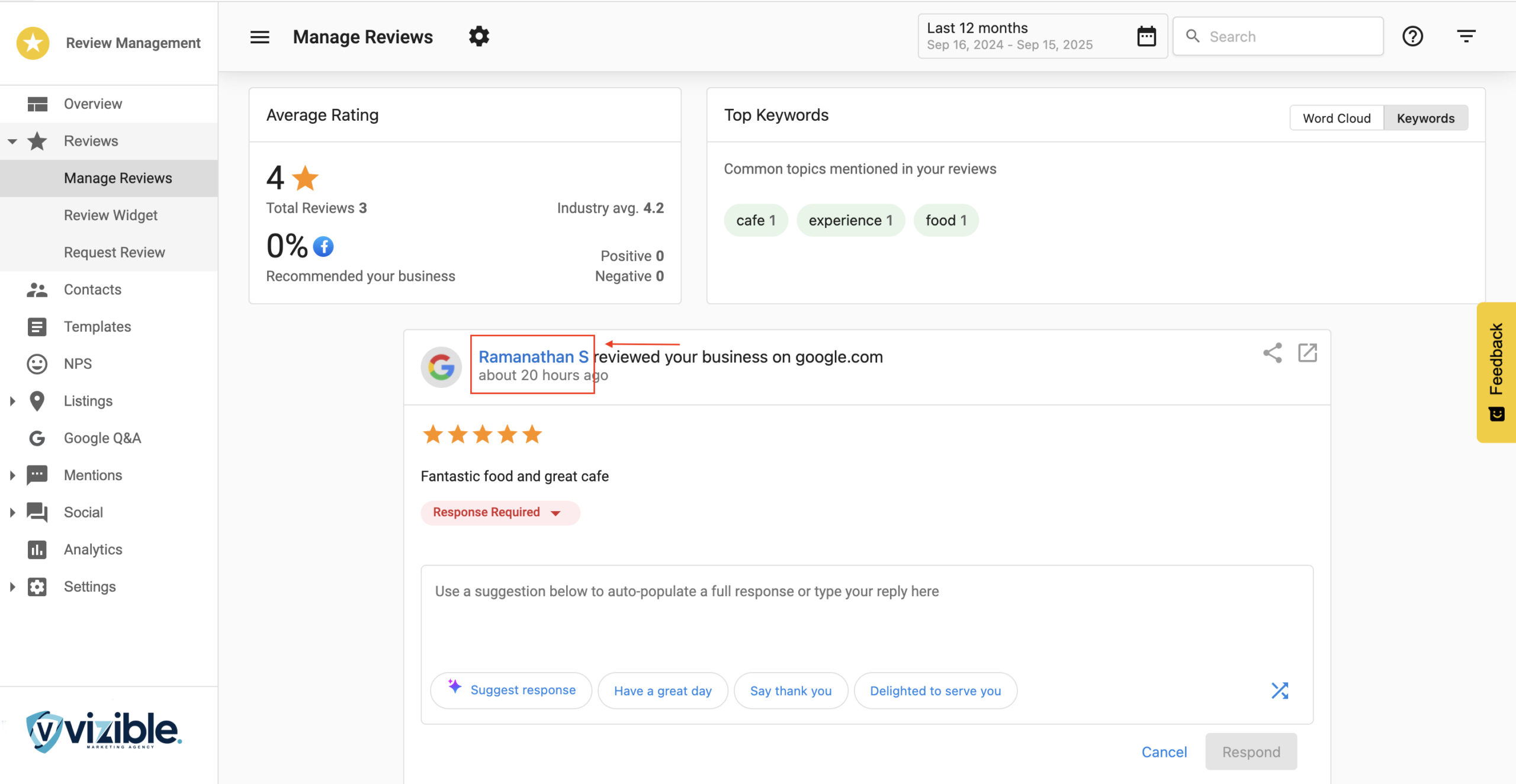
Step 2: Understand review cards
In the Manage Reviews page, each review card shows the match status:
- Linkable Name → Review is matched to a contact.
- Non-Linkable Name → Review is not matched.
Step 3: Review contact timeline
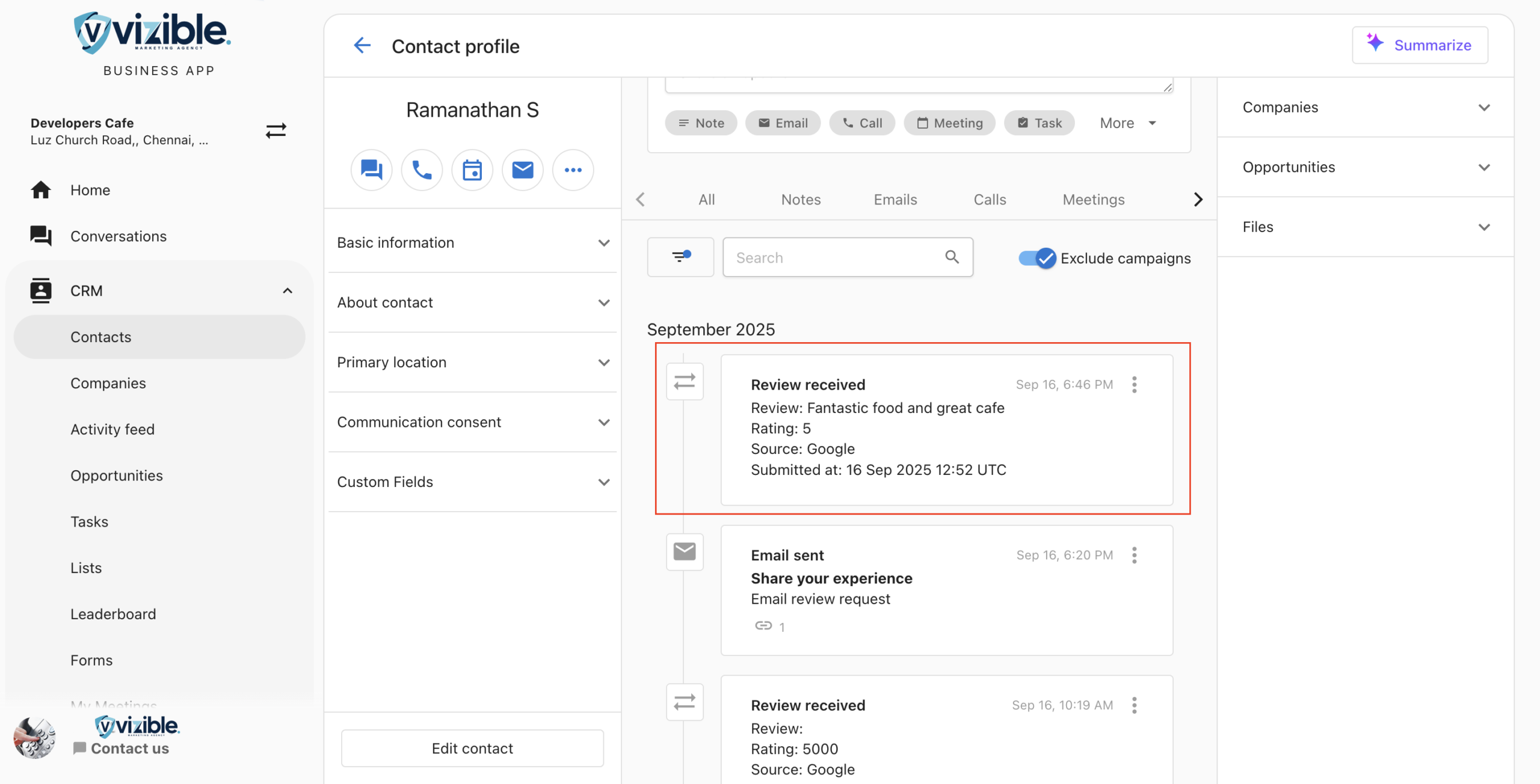
In a matched contact’s timeline, the Review Card includes:
- Review: Full review content
- Rating: Star rating (1–5)
- Source: Platform where the review was left
- Submitted at: Date and time of the review
Step 4: Navigate to multi-location requests
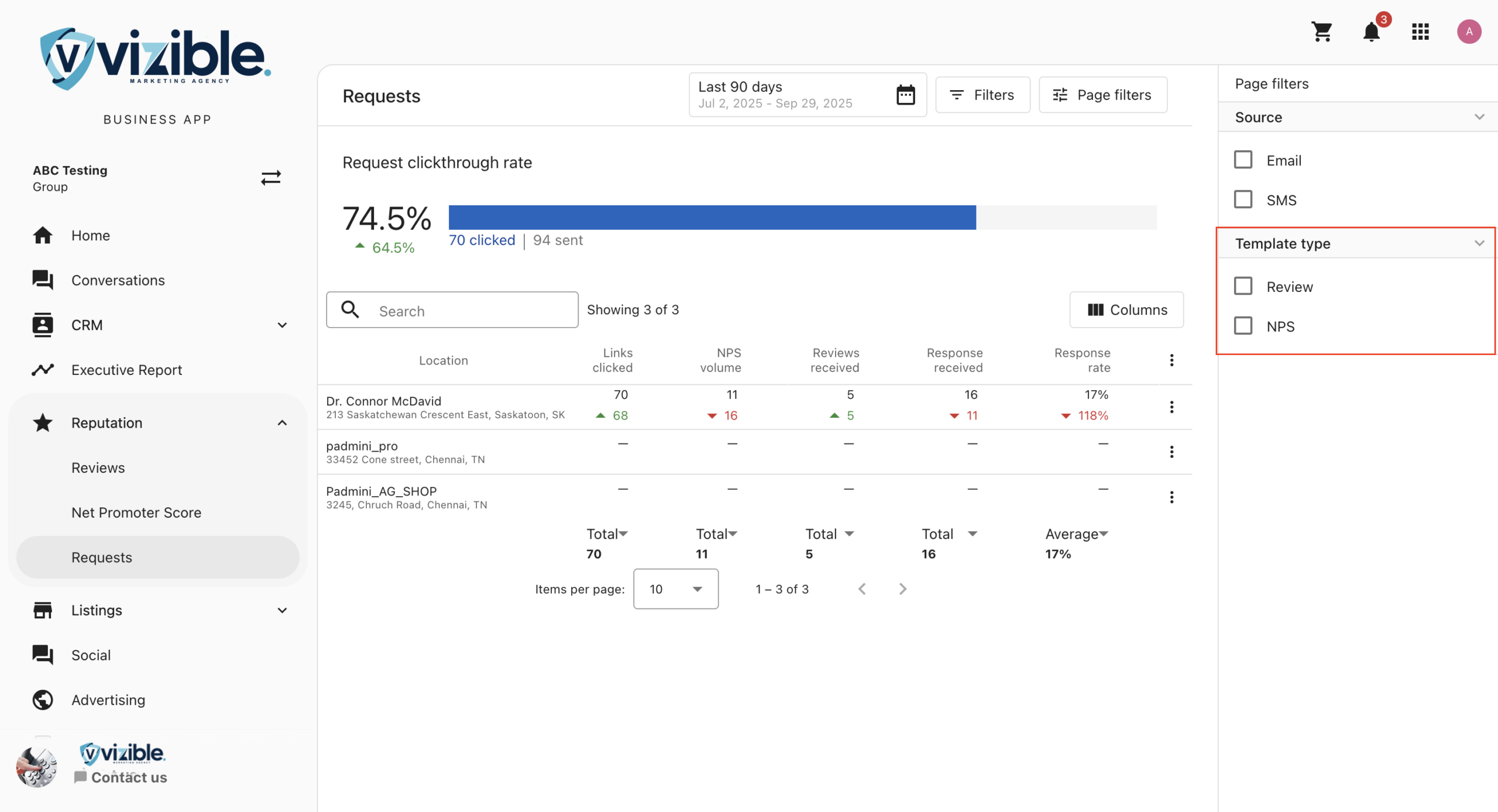
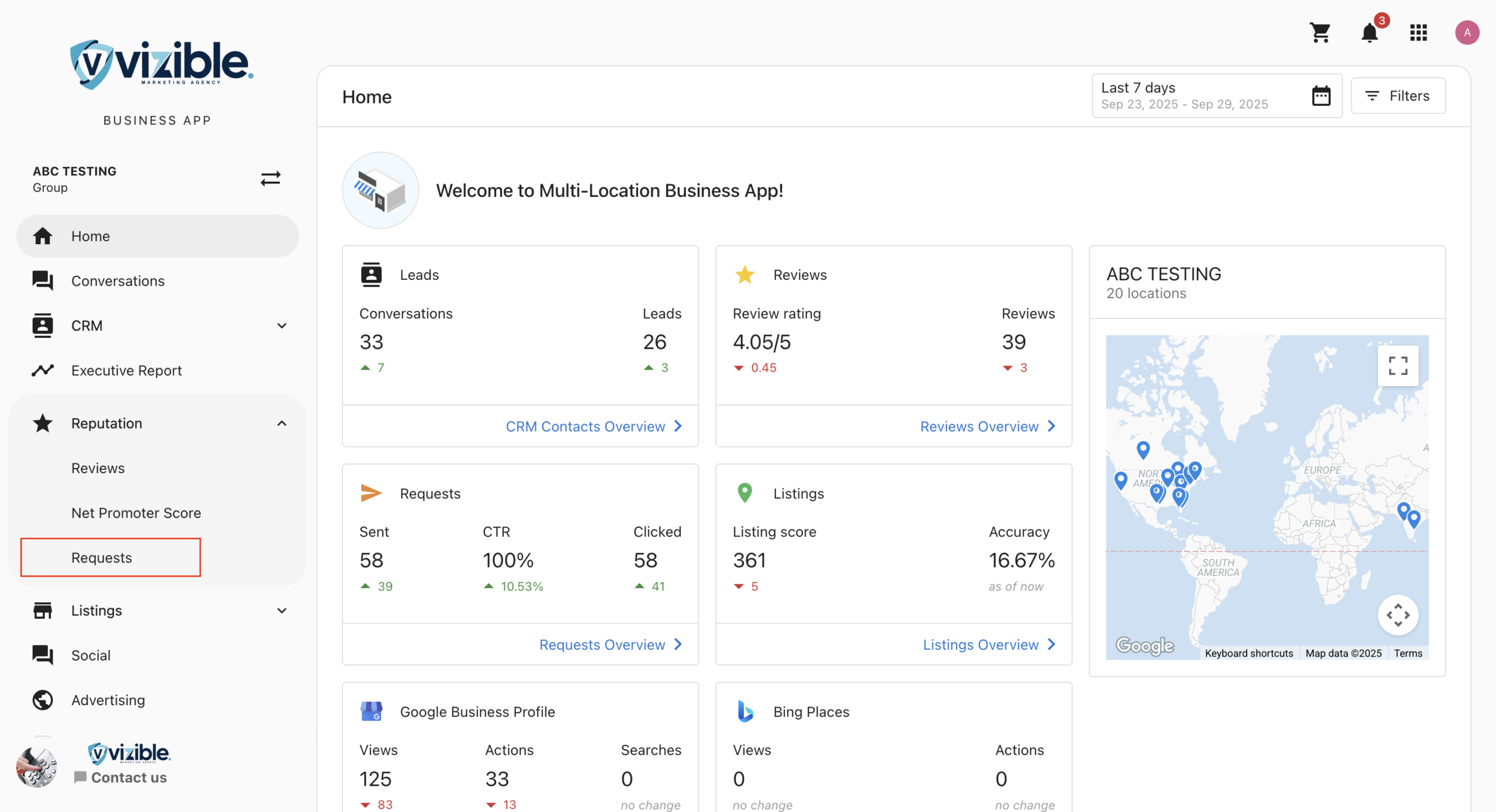
In the side menu, select Reputation, then go to the Requests tab. This view shows review request activity across locations. Review Matching is also applied here.
Step 5: Analyze requests section
Key columns in this section:
- NPS Volume: Number of NPS responses received
- Reviews Received: Number of reviews collected
- Responses Received: Combined total of reviews and NPS feedback
- Conversion Rate: Percentage of responses vs. total requests sent
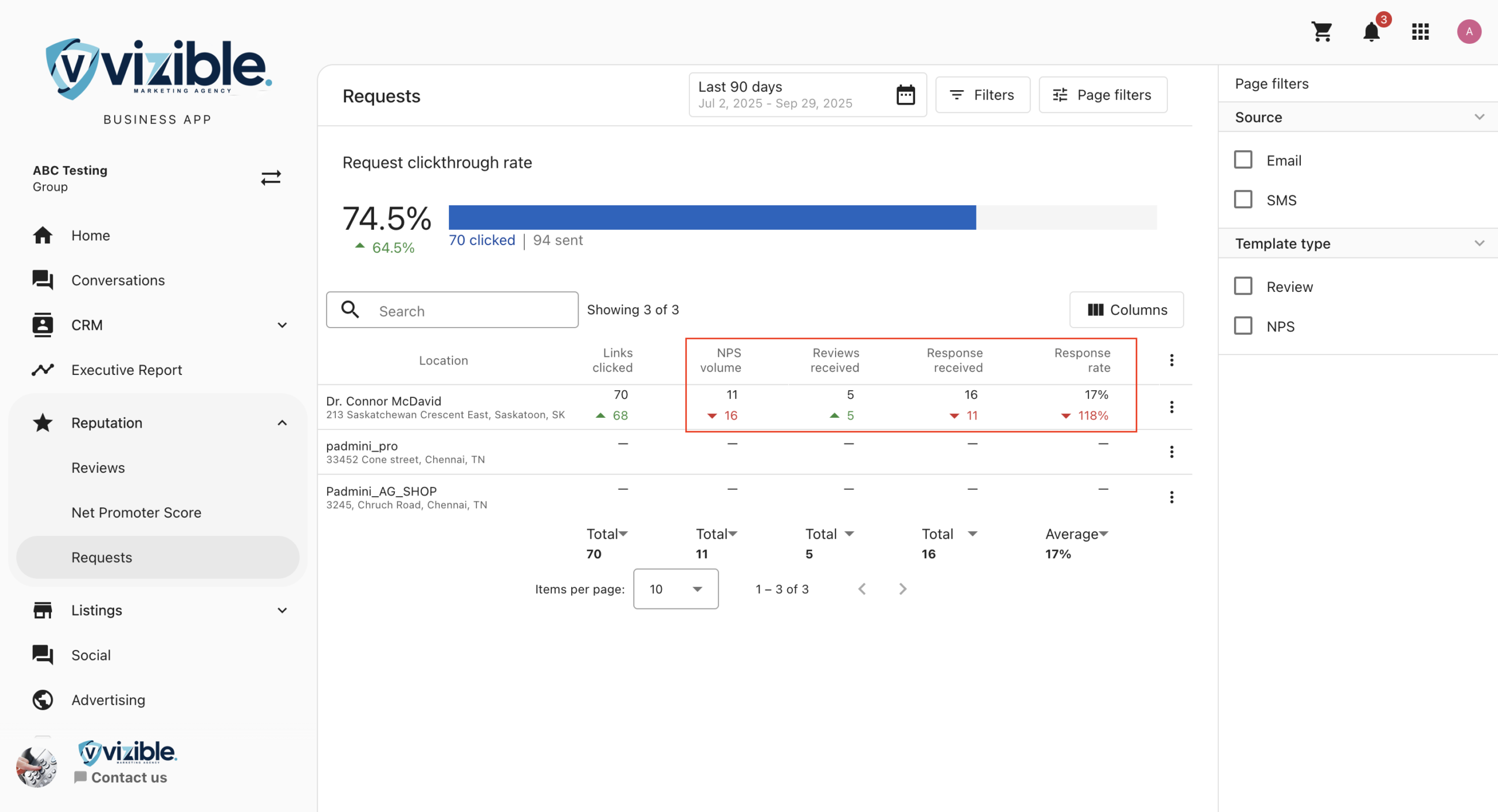
Step 6: Use NPS & review filters
Use the filters at the top of the Requests section:
- NPS: Displays only NPS-related data
- Reviews: Displays only review-related data